Apple Announces New MacBook Pros

Archive for the ‘Announcements’ Category

Apple Announces New MacBook Pros

Tuesday, April 13th, 2010

The fastest, most powerful MacBook Pro’s ever.

MBP_Family_iLife_SCREENa

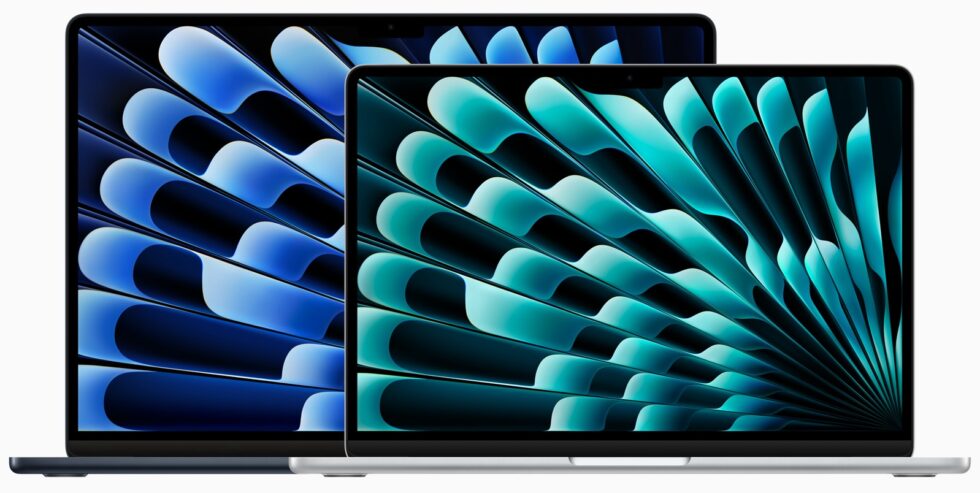
The new MacBook Pro, available in 13-, 15-, and 17-inch models, sets all-new benchmarks for Mac notebooks. The 15- and 17-inch MacBook Pro feature Intel Core i5 and Core i7 processors, boosting performance up to 50 percent and reaching Turbo Boost speeds up to 3.33GHz. Next-generation NVIDIA graphics bring high performance to everything from 3D games to photos and videos. And the built-in battery lasts up to 10 hours (8 to 9 hours on the 15- and 17-inch models). All Starting at $1199.3 and available now at Austin MacWorks

13-inch MacBook Pro Key Features

  • 2.4GHz or 2.66GHz Intel Core 2 Duo processor
  • 4GB of 1066MHz DDR3 memory; two SO-DIMM slots support up to 8GB
  • NVIDIA GeForce 320M integrated graphics processor with 256MB of DDR3 SDRAM shared with main memory
  • 250GB or 320GB 5400-rpm Serial ATA hard drive; optional 320GB or 500GB 5400-rpm hard drive or 128GB, 256GB, or 512GB solid-state drive1
  • Two USB 2.0 ports, FireWire 800 port, and SD card slot
  • Combined headphone/line in (supports digital output)

15-inch MacBook Pro Key Features

  • 2.4GHz or 2.53GHz Intel Core i5 processor; or 2.66GHz Intel Core i7 processor
  • 4GB of 1066MHz DDR3 memory; two SO-DIMM slots support up to 8GB Intel HD Graphics and NVIDIA GeForce GT 330M with up to 512MB of GDDR3 memory
  • 320GB or 500GB 5400-rpm Serial ATA hard drive; optional 500GB 7200-rpm hard drive or 128GB, 256GB, or 512GB solid-state drive1
  • Two USB 2.0 ports, FireWire 800 port, and SD card slot Audio line in minijack (digital/analog)
  • Audio line out/headphone minijack (digital/analog)
  • Optional 1680-by-1050 high-resolution glossy or antiglare display

17-inch MacBook Pro Key Features

  • 2.53GHz Intel Core i5 processor or optional 2.66GHz Intel Core i7 processor
  • 4GB of 1066MHz DDR3 memory; two SO-DIMM slots support up to 8GB
  • Intel HD Graphics and NVIDIA GeForce GT 330M with 512MB of GDDR3 memory
  • 500GB 5400-rpm Serial ATA hard drive; optional 500GB 7200-rpm hard drive or 128GB, 256GB, or 512GB solid-state drive1
  • Three USB 2.0 ports, FireWire 800 port, and ExpressCard/34 slot
  • Audio line in minijack (digital/analog)
  • Audio line out/headphone minijack (digital/analog)

Post to Twitter Post to Delicious Post to Digg Post to Facebook Post to MySpace Post to StumbleUpon

New MacBook Pros at Austin MacWorks

Friday, February 12th, 2010

2010_04_mbp_1001Apple announced a new MacBook Pro family that features the latest Intel processors, including i5 & i7 chips, next-gen graphics chips and battery life up to 10 hours. All MacBook Pros ship with 4 Gigs of memory, can be configured with a 512 MB solid state drive & 15/17 inch models are available with hi-res & anti-glare hi-res screens.  Available now for you at Austin MacWorks.

Post to Twitter Post to Delicious Post to Digg Post to Facebook Post to MySpace Post to StumbleUpon

Apple adds Win 7 Bootcamp Compatiblility

Wednesday, January 20th, 2010

The Boot Camp Software Update 3.1, which comes in two different flavors: one for 32-bit Windows and one for the  64-bit versions. bootcamp_04Both of  the updates deliver support for the Home Premium, Professional, & Ultimate versions of Windows 7.

Other changes with the Bootcamp update include fixes for the trackpad, along with support for the Apple wireless keyboard and Magic Mouse.

Download links below:

Boot Camp Utility for Windows 7 Upgrade

Boot Camp Software Update 3.1 for Windows 32 bit

Boot Camp Software Update 3.1 for Windows 64 bit

Post to Twitter Post to Delicious Post to Digg Post to Facebook Post to MySpace Post to StumbleUpon

Apple Updates Snow Leopard Printer Drivers

Tuesday, November 17th, 2009

Apple has released printer driver updates with compatibility fixes and additional drivers for printers from Brother, Canon, Epson, HP and Lexmark.

To install the updates, make sure that you have the devices powered on and connected to your Mac or on your network. Now, navigate to: Apple menu > Software Update and launch the Software Update application. If there are newer drivers available for your printer or scanner, the drivers will appear in the available update list.

You can also find a full list of the printer and scanner drivers included with Mac OS X 10.6, or Snow Leopard, on-line at the Apple Support Web site.

Post to Twitter Post to Delicious Post to Digg Post to Facebook Post to MySpace Post to StumbleUpon

The ScanSnap Scanner from Fujitsu Adds Snow Leopard Compatibility

Wednesday, November 11th, 2009

The excellent ScanSnap family of scanners from Fujitsu have had their software updated to the ScanSnap Manager software package, bringing ScanSnap scanning to Mac Snow Leopard users. The software preference patch offers a workaround for Snow Leopard users by temporally disabling the “Quick Menu” and “Scan to Office” functions until Fujitsu offers a full software update for the ScanSnap. The download and instructions for the patch are available here. Essentially, download the .zip file, unzip it and drag the “jp.co.pfu.ScanSnap.V10L10.plist” to your “user/library/preferences” folder and replace the old .plist with the new one.

Post to Twitter Post to Delicious Post to Digg Post to Facebook Post to MySpace Post to StumbleUpon

Apple Releases 10.6.2 Software Update

Tuesday, November 10th, 2009

The second update to Snow Leopard has been released by Apple, including patches for 58 bugs to the operating system. Included in the update is a patch for the data-munching bug that could cause a users data to be deleted when they logged into, and then out of a guest account. The download for the update is available in your Software Update in the Apple Menu or via download here. Among the other bugs squashed in the update include various fixes for Font, Graphics, Mail, Mobile Me, Networking, Safari and Printing.

Post to Twitter Post to Delicious Post to Digg Post to Facebook Post to MySpace Post to StumbleUpon

Apple Announces New iMacs, Mac Mini & Macbooks. Coming Soon to Austin MacWorks.

Tuesday, October 20th, 2009

The Apple Mothership announced this morning a number of new products including a new lineup of iMac’s. newimacThe New iMac’s ship with either 21.5″ or 27″ displays. The top of the line iMac includes the new quad-core Intel Core i5 or Core i7 “Nehalem” processors. Wireless keyboards and the new multi-touch Magic Mouse ship standard on all iMacs.

Mac Mini’s get a processor bump up to 2.66 Mhz and 4 gigs of RAM. Apple also newminiintroduces a Mac Mini with Snow Leopard Server & two 500 GB drives pre-installed for $999.00

The MacBook also gets a bump and a re-engineer. It’s thinner, lighter and features a unibody polycarbonate enclosure along with multi-touch trackpad. The Macbook ships with an LED-backlit display, built-in lithium-polymer battery for longer battery life, 2 GB of DDR3 memory & 250GB hard drive.

newmacbook

Post to Twitter Post to Delicious Post to Digg Post to Facebook Post to MySpace Post to StumbleUpon

The Livescribe Pulse Smartpen

Monday, October 12th, 2009

Living somewhere between the space occupied by PDA’s and note taking on your laptop comes a relatively new player into the computerized note space. The Livescribe Pulse Smartpen at first glance might leave you scratching your head about its usefulness, but after spending a few minutes with the Livescribe, you’ll instantly understand its how it will simplify your data and revolutionize your note taking. livescribe-2

The Livescribe Pulse Smartpen is a combo note-taker and audio recorder. Using special paper (available in a number of formats including journals and notepads), the software tracks your writing and records your notes, syncing them to your Mac the next time you dock your pen. Sure, it’s a neat trick, but the real payoff is using the notes with the built-in audio recording software. Tell the Livescribe Pulse Smartpen to record audio while you’re taking notes and it indexes the audio to your scribbles. Once you’ve docked and synced your notes on your Mac, simply tapping on your notes takes you to the recorded audio that corresponds to the timeline of of your notes.

The audio/notes sync feature will be a boon to anyone who has lots of data to remember and record. Students can record lectures and take notes and have instant access to the corresponding section of the lecture by simply tapping on the notes. Other obvious applications could include note taking for therapists, doctors, business professionals, songwriters, musicians… Pretty much anyone who needs to jot down notes, store them on the computer and have instant access to corresponding audio recordings.

The Livescribe Pulse Smartpen is available in 1 and 2 gigabyte models and comes with 250 MB of online storage for registered users who can share notes and audio as interactive Flash movies or PDF files. Stop into Austin MacWorks today and let us demo this very cool tool that will simplify note taking and data gathering for business professionals and UT students alike.

Post to Twitter Post to Delicious Post to Digg Post to Facebook Post to MySpace Post to StumbleUpon

Blackberry Sync is Back on the Mac

Saturday, October 3rd, 2009

mac_blackberry_syncIt’s amazing what a little competition can do. It’s a sure bet that the rampant popularity of the iPhone has been a major factor for Research In Motion’s release of the new Blackberry Desktop Software for the Mac. Mac users had been mostly relegated to installing third party software solutions, such as The Missing Sync from Mark Space or PocketMac, to sync their Mac to a Blackberry.

With the new software from RIM, Blackberry users can update their smartphones with new firmware, add or remove applications, sync data from iCal, Address Book,  Entourage and more. The free download requires Mac OS X v10.5.5 and above, BlackBerry® Device Software v4.2 or higher and iTunes v7.7.1 or later for iTunes sync. Download the Blackberry Desktop Software here. Austin MacWorks would love to hear your comments if you own a Blackberry and have updated to the Blackberry Desktop Software for the Mac. Let us know how the new software is working out for you.

Post to Twitter Post to Delicious Post to Digg Post to Facebook Post to MySpace Post to StumbleUpon

Fujitsu ScanSnap S1500M – The Mac Scanning Solution for the Business Professional

Friday, October 2nd, 2009

The Fujitsu ScanSnap S1500M breaks the old assumption that a good scanner is a huge, slow, lumbering beast that occupies huge amounts of desk real-estate and yields mostly dubious results.

Fujitsu_ScanSnap_S1500MThe Fujitsu ScanSnap S1500M will neatly fit into any space about the size of your average toaster, it’s even  small enough to pack in your carry-on, ready for your next out of town business meeting or convention. This makes the Fujitsu ScanSnap S1500M the perfect traveling business companion to help you collect and catalogue your business expenses and the stacks of business cards (using the included Cardiris™ 3.6 software) you’ll collect on the road.

At first glance the $495.00 price tag for the Fujitsu ScanSnap S1500M seems a bit steep, until you factor the scanner ships with Adobe Acrobat Professional 8.0, which sells separately for over $400.00 and the ABYY FineReader for ScanSnap™ 3.0 Mac Edition. So when you compare apples to oranges, the price of the Fujitsu ScanSnap S1500M and included software bundle is actually quite a steal.

So how well does the Fujitsu ScanSnap S1500M perform? The Fujitsu ScanSnap S1500M outputs both TIFF and PDF files and scanned PDF files can be made searchable using the included Abby FineReader software. Scanned documents can be searched and organized by location, date and even from within OS X’s built-in Spotlight search function. The Fujitsu ScanSnap S1500M is pure business. Since the scanner isn’t a flatbed, it’s not the best solution for scanning in graphics or priceless old photos (although it does so admirably), but bundled with Acrobat Pro and the ABBY FineReader OCR software, it might just be the best scanner available for mobile and office professionals alike. Oh, did i mention it’s fast. How fast? It’s really, really fast.

Stop in to Austin MacWorks today and let us show you how the Fujitsu ScanSnap S1500M can help navigate the road to a true paperless office in your business environment.

Post to Twitter Post to Delicious Post to Digg Post to Facebook Post to MySpace Post to StumbleUpon


Copyright © 2010 Austin MacWorks, All Rights Reserved